public class HelloWorld
{
  public static void main(String[] args)
  {
    System.out.println("Hello, World!");
  }
}
Save your file as
HelloWorld.java in C:\mywork. To make sure your file name isHeloWorld.java, (not HelloWorld.java.txt), first choose "Save as file type:" All files, then type in the file name HelloWorld.java .
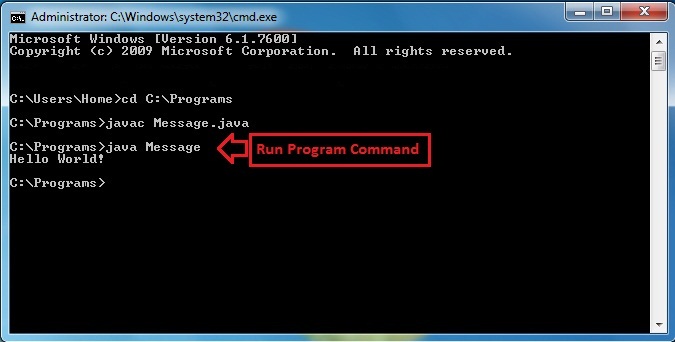
Run Command Prompt (found under All Programs/Accessories in the Start menu). Type C:\> cd \myworkThis makes C:\mywork the current directory.
C:\mywork> dirThis displays the directory contents. You should see HelloWorld.java among the files.
C:\mywork> set path=%path%;C:\Program Files\Java\jdk1.5.0_09\bin This tells the system where to find JDK programs
C:\mywork> javac HelloWorld.javaThis runs javac.exe, the compiler. You should see nothing but the next system prompt...
C:\mywork> dir
javac has created the HelloWorld.class file. You should see HelloWorld.java andHelloWorld.class among the files.
C:\mywork> java HelloWorld This runs the Java interpreter. You should see the program output: Hello, World! If the system cannot find javac, check the set path command. If javac runs but you get errors, check your Java text. If the program compiles but you get an exception, check the spelling and capitalization in the file name and the class name and the java HelloWorld command. Java is case-sensitive! Create a temporary folder
C:\mywork. Using Notepad or another text editor, create a small Java file HelloWorld.java with the following text:


0 comments:
Post a Comment